

















HiJackThis Fork v3 Free Hacking TOOL
Hijack This
HiJackThis+
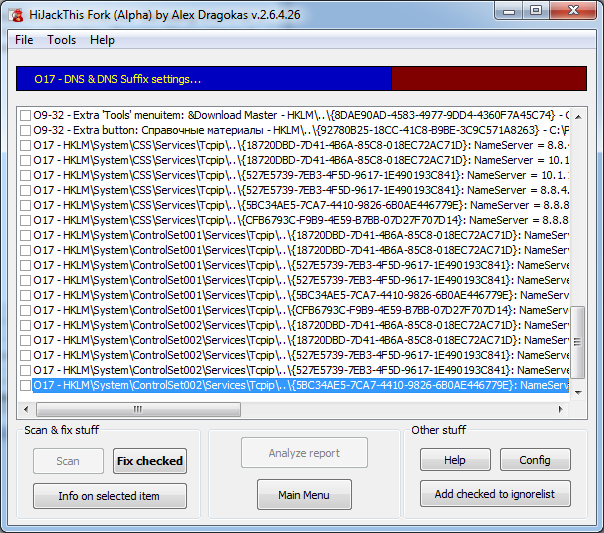
HiJackThis+ (Plus) (previously called: HiJackThis Fork v3) is a fork and a continuation of the original Trend Micro HiJackThis by Merijn Bellekom development, once a well-known tool.
At the moment, it is a step-by-step 100% rewritten source code of the original engine, aimed to provide a full compatiblity with the most recent Windows OS and a balance beetween compiling very fast results in logfile and combatting with the most popular malware, inluding the one not known to other antiviruses.
It is made by Alex Dragokas - a lawyer, security observer and malware researcher.
Overview
HiJackThis+ is a free utility for Microsoft Windows that scans your computer for settings changed by adware, spyware, malware and other unwanted programs. Shortly, consider it like Sysinternals Autoruns.
The difference from classical antiviruses is the ability to function without constant database updates, because HiJackThis+ primarily detects hijacking methods rather than comparing items against a pre-built database (signatures). This allows it to detect new or previously unknown malware - but it also makes no distinction between safe and unsafe items. Users are expected to research all scanned items manually, and only remove items from their PC when absolutely appropriate.
Therefore, FALSE POSITIVES ARE LIKELY. If you are ever unsure, you should consult with a knowledgeable expert BEFORE deleting anything.
HiJackThis+ is not a replacement of a classical antivirus. It doesn't provide a real-time protection, because it is a passive scanner only. Consider it as an addition. However, you can use it in form of boot-up automatical scanner in the following way:
Run the scanning by clicking "Do a system scan only"
Add all items in the ignore-list
Set up boot-up scan in menu "File" - "Settings" - "Add HiJackThis to startup"
Next time when user logged in, HiJackThis will silently scan your OS and display UI if only new records in your system were found.
Tutorial
Please, refer to the List of tutorials
Features
Lists non-default settings in the registry, hard drive and memory related to autostart
Generates organized, easily readable reports
Does not use a database of specific malware, adware, etc
Detects potential methods used by hijackers
Can be configured to automatically scan at system boot up
Advantages
Short logs
Fast scans
Not necessarily to create fixing scripts manually
No need for internet access or recurring database updates
Already familiar to many people
Portable
New in version 2.6+
Detects several new hijacking methods
Fully supports new versions of OS Windows
New and updated supplementary tools
Improved interface, security and backups
HiJackThis+ also comes with several modules useful for specific analysis and removing malware from a computer:
StartupList 2 (*new*)
Process Manager
Uninstall Manager
Hosts File Manager
Alternative Data Spy
Services Removing Tool
Batch Digital Signature Checker (*new*)
Registry Key Type Analyzer (*new*)
Registry Key Unlocker (*new*)
Files DACL Unlocker (*new*)
Check Browsers' LNK & ClearLNK (as downloadable components) (*new*)
Download Link
Download Link
[/CENTER]