- Joined
- Jun 13, 2020
- Messages
- 8,171
- Reaction score
- 1,192
- Points
- 212
- Awards
- 2


In the next few tutorials I will explain how to use the different Websploit modules. WebSploit is an open source project for web application assessments. In this tutorial we will be using the websploit directory scanner module and we will add some custom directories. Websploit directory scanner is a script which scans webservers for directories listed in the script and tells you they exist or not.
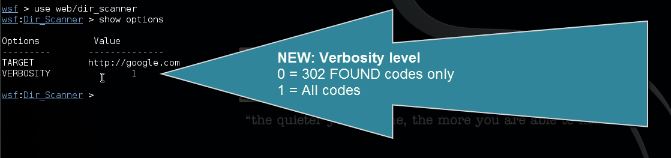
Due to many errors generated by the script, mostly 400 Bad Request errors on existing directories, I have edited the script. the issues causing the 400 Bad Request errors have been fixed now. I’ve also added a verbosity option so you can choose whether you just want to see existing directories or errors too. Code 302 Found is coloured green now instead of yellow. The new script can be downloaded here (save as):
Download
Replace the script in the following directory in Kali Linux:
/usr/share/websploit/modules/directory_scanner.py
Websploit Directory Scanner
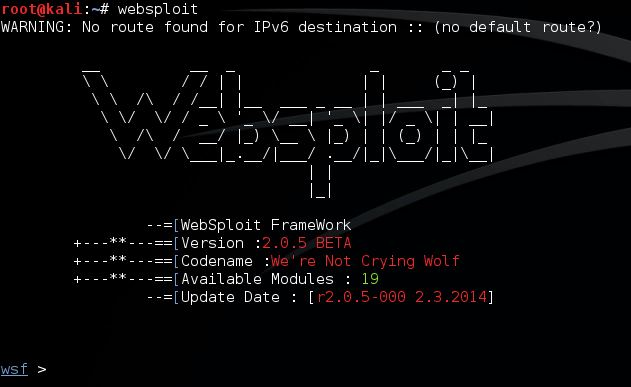
Let’s open a terminal and start Websploit with the following command:
Code:
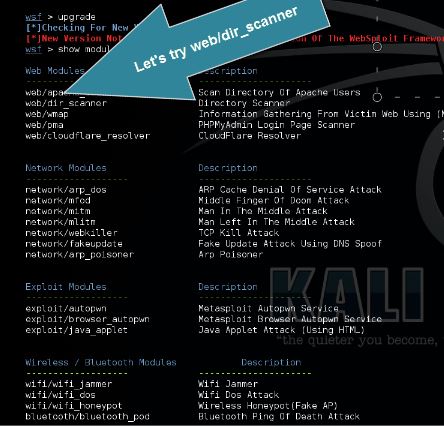
Use the following command to view the list of available Websploit modules:
Code:
Module web/dir_scanner scans the target for common web directories. Use the following command to set web/dir_scanner:
Code:
Code:
Use the following command to set the target:
Code:
Adding custom directories to Websploit Directory Scanner
Open the following file:
Code:
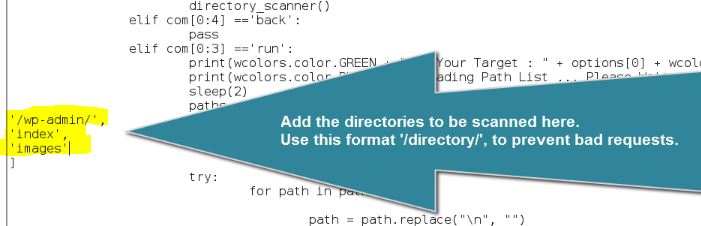
Make sure you use this format: ‘/wp-admin/’,
Click to expand...[/QUOTE]
Due to many errors generated by the script, mostly 400 Bad Request errors on existing directories, I have edited the script. the issues causing the 400 Bad Request errors have been fixed now. I’ve also added a verbosity option so you can choose whether you just want to see existing directories or errors too. Code 302 Found is coloured green now instead of yellow. The new script can be downloaded here (save as):
Download
Replace the script in the following directory in Kali Linux:
/usr/share/websploit/modules/directory_scanner.py
Websploit Directory Scanner
Let’s open a terminal and start Websploit with the following command:
Code:
websploit
Use the following command to view the list of available Websploit modules:
Code:
show modules
Module web/dir_scanner scans the target for common web directories. Use the following command to set web/dir_scanner:
Code:
Use the following command to show available options for the used module:use web/dir_scanner
Code:
show options
Use the following command to set the target:
Code:
And the following command...6/Websploit-run-directory-scanner.jpg[/IMG]set target
Adding custom directories to Websploit Directory Scanner
Open the following file:
Code:
Add your directories to the following lines:/usr/share/websploit/modules/directory_scanner.py
Click to expand...
Make sure you use this format: ‘/wp-admin/’,
Click to expand...[/QUOTE]