













- Joined
- Jun 13, 2020
- Messages
- 8,171
- Reaction score
- 1,200
- Points
- 212
- Awards
- 2


Actually this is not hack at all. This is simple trick for customizing “sent To” option. While right click you can see the “sent To ” option.
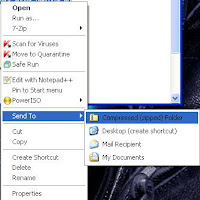
“Send to” option is for sending the file or folder to specified place. Default send to place are “compresssed”,”Desktop”,”mail recipient”,”My Documents”. You can add extra option .
What is the Use?
You can customize the “send to” such that copy the file to specified folder or place. This reduce the time taken for copying and pasting.
How to do?
Create a folder in any drive and copy the path.
Go to “C ocuments and SettingsDefault UserSendTo”
Right click on the folder and select “New ” option.
Now select “create Shortcut”
Enter the path for the folder or browse to the folder
Click Next
Enter the Name you want to display.
click finish.
That’s all you are done. You can now see the option. Whenever you want to copy to this folder. Just right click on the file and select “send To” then select “folder name”
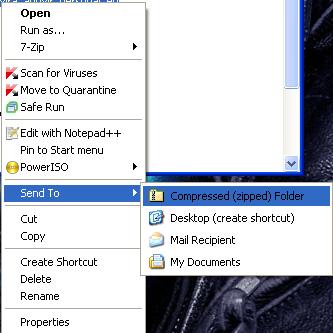
“Send to” option is for sending the file or folder to specified place. Default send to place are “compresssed”,”Desktop”,”mail recipient”,”My Documents”. You can add extra option .
What is the Use?
You can customize the “send to” such that copy the file to specified folder or place. This reduce the time taken for copying and pasting.
How to do?
Create a folder in any drive and copy the path.
Go to “C
ocuments and SettingsDefault UserSendTo”Right click on the folder and select “New ” option.
Now select “create Shortcut”
Enter the path for the folder or browse to the folder
Click Next
Enter the Name you want to display.
click finish.
That’s all you are done. You can now see the option. Whenever you want to copy to this folder. Just right click on the file and select “send To” then select “folder name”