
















- Joined
- Jun 13, 2020
- Messages
- 8,099
- Reaction score
- 1,104
- Points
- 212
- Awards
- 2


Go to Wireshark and open the file with previously intercepted FTP traffic.

Next, go to the TCP stream. Right click on the first package. Follow-> TCP Stream, that is, to put together the entire session:

We get this:

Here we will see a window that reflects all FTP commands and responses that were transmitted in this session. Pay attention to the sites mentioning * .zip file. This is clearly what we are looking for.

We are looking for the nearest FTP-DATA package. Who did not know, FTP-DATA is once again intended for transferring data and files via the FTP protocol.

On this package, right-click. Follow-> TCP Stream.

We get a conclusion in the form of a zagogulin. We see Show and save data as. Choose RAW. We get this:
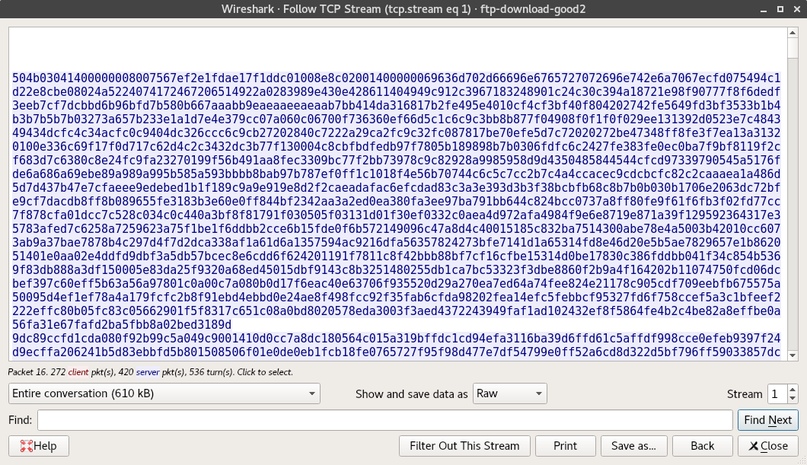
Poke on Save as ... We fall into the save dialog box. Save the file name.zip.
Close Wireshark.
Open the archive and see:

You are now familiar with one of the main ways to search for information in the TCP traffic dump.
Next, go to the TCP stream. Right click on the first package. Follow-> TCP Stream, that is, to put together the entire session:
We get this:
Here we will see a window that reflects all FTP commands and responses that were transmitted in this session. Pay attention to the sites mentioning * .zip file. This is clearly what we are looking for.
- SIZE OS Fingerprinting with ICMP.zip - request file size.
- RETR OS Fingerprinting with ICMP.zip - server response.
- 610078 bytes - file size
We are looking for the nearest FTP-DATA package. Who did not know, FTP-DATA is once again intended for transferring data and files via the FTP protocol.
On this package, right-click. Follow-> TCP Stream.
We get a conclusion in the form of a zagogulin. We see Show and save data as. Choose RAW. We get this:
Poke on Save as ... We fall into the save dialog box. Save the file name.zip.
Close Wireshark.
Open the archive and see:
You are now familiar with one of the main ways to search for information in the TCP traffic dump.