















- Joined
- Jun 28, 2020
- Messages
- 6,946
- Reaction score
- 766
- Points
- 212
- Awards
- 2


In the next few tutorials I will explain how to use the different Websploit modules. WebSploit is an open source project for web application assessments. In this tutorial we will be using the websploit directory scanner module and we will add some custom directories. Websploit directory scanner is a script which scans webservers for directories listed in the script and tells you they exist or not.
Due to many errors generated by the script, mostly 400 Bad Request errors on existing directories, I have edited the script. the issues causing the 400 Bad Request errors have been fixed now. I’ve also added a verbosity option so you can choose whether you just want to see existing directories or errors too. Code 302 Found is coloured green now instead of yellow. The new script can be downloaded here (save as):
directory_scanner.py (22222 downloads)
Replace the script in the following directory in Kali Linux:
/usr/share/websploit/modules/directory_scanner.py
Websploit Directory Scanner
Let’s open a terminal and start Websploit with the following command:
websploit
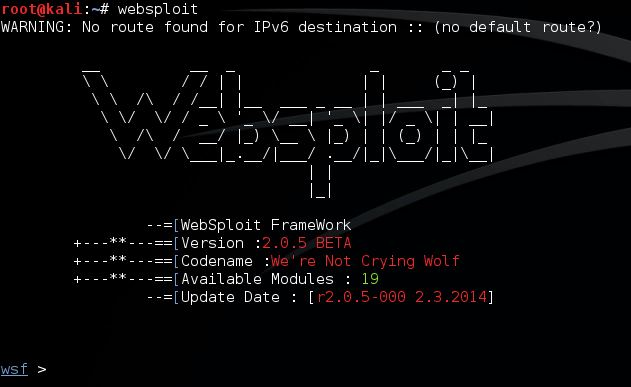
Use the following command to view the list of available Websploit modules:
show modules
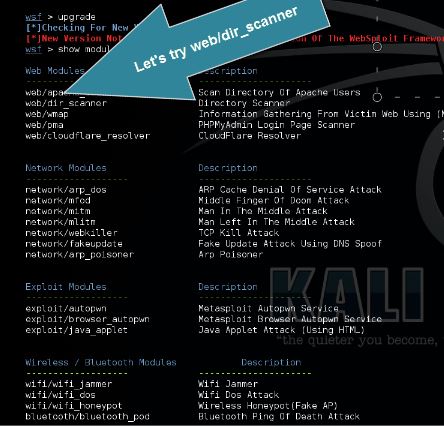
Module web/dir_scanner scans the target for common web directories. Use the following command to set web/dir_scanner:
use web/dir_scanner
Use the following command to show available options for the used module:
show options
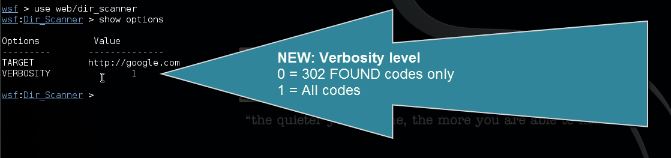
Use the following command to set the target:
set target And the following command to set .../06/Websploit-run-directory-scanner.jpg[/IMG]
Adding custom directories to Websploit Directory Scanner
Open the following file:
/usr/share/websploit/modules/directory_scanner.py
Add your directories to the following lines:
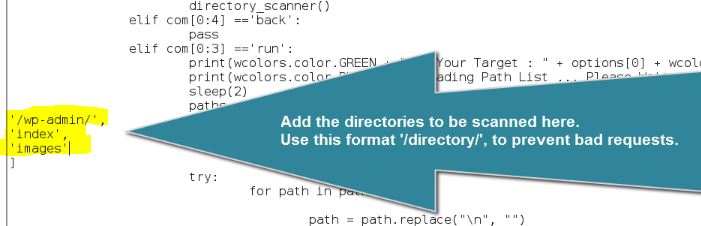
Make sure you use this format: ‘/wp-admin/’,
Due to many errors generated by the script, mostly 400 Bad Request errors on existing directories, I have edited the script. the issues causing the 400 Bad Request errors have been fixed now. I’ve also added a verbosity option so you can choose whether you just want to see existing directories or errors too. Code 302 Found is coloured green now instead of yellow. The new script can be downloaded here (save as):
directory_scanner.py (22222 downloads)
Replace the script in the following directory in Kali Linux:
/usr/share/websploit/modules/directory_scanner.py
Websploit Directory Scanner
Let’s open a terminal and start Websploit with the following command:
websploit
Use the following command to view the list of available Websploit modules:
show modules
Module web/dir_scanner scans the target for common web directories. Use the following command to set web/dir_scanner:
use web/dir_scanner
Use the following command to show available options for the used module:
show options
Use the following command to set the target:
set target And the following command to set .../06/Websploit-run-directory-scanner.jpg[/IMG]
Adding custom directories to Websploit Directory Scanner
Open the following file:
/usr/share/websploit/modules/directory_scanner.py
Add your directories to the following lines:
Make sure you use this format: ‘/wp-admin/’,