
















- Joined
- Jun 13, 2020
- Messages
- 8,098
- Reaction score
- 1,104
- Points
- 212
- Awards
- 2


Skipfish is a free, open-source Automated Penetration Testing tool available on GitHub made for security researchers. Skipfish is used for information gathering and testing the security of websites and web servers. Skipfish is the easiest and one of the best tools for penetration testing. It provides many integrated tools to perform penetration testing on the target system. This tool is also known as an active web application security reconnaissance tool. This tool functions and makes a map on the console of the targeted site using recursive crawl and dictionary-based probes. This tool gives us all the security checks that are active in the domain. Lastly, this tool generates a report which can be further used for security assessments.
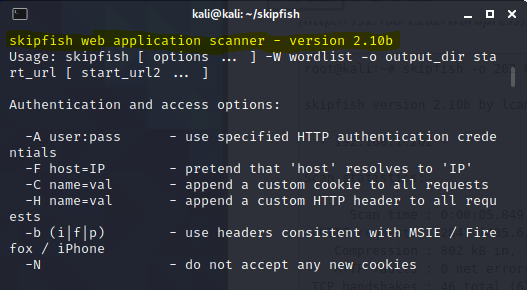
Features and Uses of Skipfish tools :
Step 1: To install the tool first move to desktop and then install the tool using the following command.
git clone https://gitlab.com/kalilinux/packages/skipfish.git
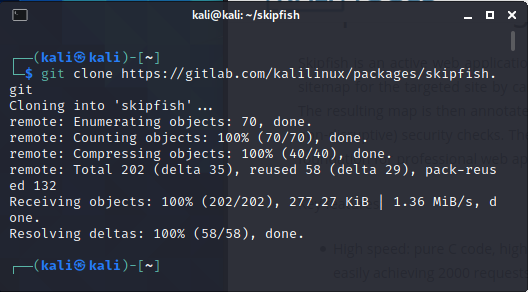
Step 2: The tool has been downloaded into your kali Linux machine. Now move into the tool directory using the following command.
cd skipfish
ls
skipfish -h
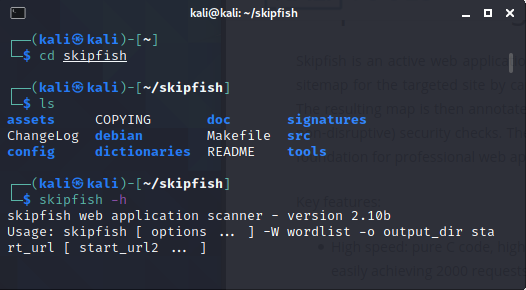
Step 3: Now you can see the help menu of the tool is running. You can use all the flags which are used with the tool. The tool has been downloaded and now we will see how to use it.
Usage
Example 1: Use skipfish tool to scan a WordPress website using its IP address.
skipfish -o 202 http://192.168.1.202/wordpress
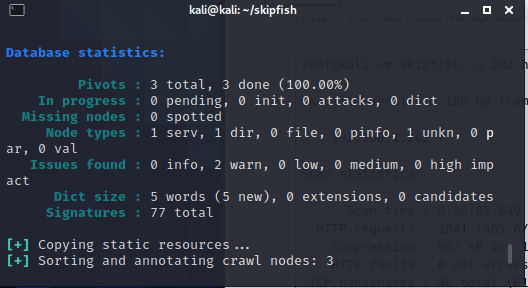
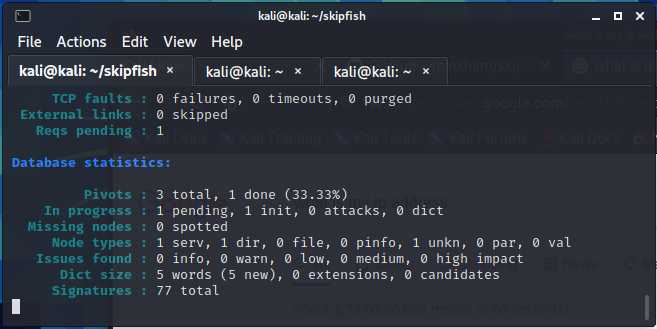
This is the report of the tool. You can use this tool with your own target. You can use any domain of your own choice.
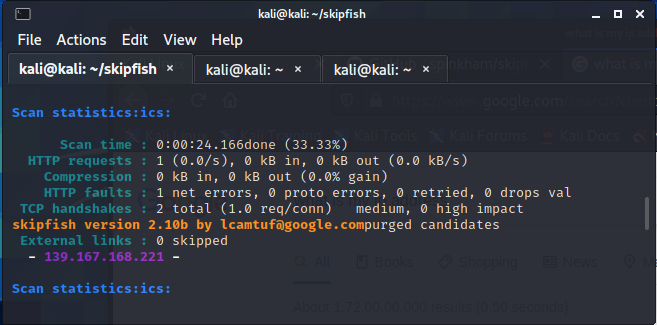
Example 2: Use Skipfish tool to scan bodgeit
sudo skipfish -o SkipfishTEST http://192.168.225.37/bodgeit
Features and Uses of Skipfish tools :
- Skipfish is Open source intelligence tool.
- Skipfish can track enumeration.
- Skipfish is a fully automated tool.
- Skipfish has more than 15 modules that can be used for penetration testing.
- Skipfish is used to scanning websites and web apps.
- Skipfish is used to scan content management systems(CMS).
- Skipfish can find vulnerabilities in CMS, eg. WordPress, Joomla, etc.
- Skipfish has a large number of modules, such as metagoofil, wananga, etc.
Step 1: To install the tool first move to desktop and then install the tool using the following command.
git clone https://gitlab.com/kalilinux/packages/skipfish.git
Step 2: The tool has been downloaded into your kali Linux machine. Now move into the tool directory using the following command.
cd skipfish
ls
skipfish -h
Step 3: Now you can see the help menu of the tool is running. You can use all the flags which are used with the tool. The tool has been downloaded and now we will see how to use it.
Usage
Example 1: Use skipfish tool to scan a WordPress website using its IP address.
skipfish -o 202 http://192.168.1.202/wordpress
This is the report of the tool. You can use this tool with your own target. You can use any domain of your own choice.
Example 2: Use Skipfish tool to scan bodgeit
sudo skipfish -o SkipfishTEST http://192.168.225.37/bodgeit